Top 8 Frequency Planning Tips Before Buying an FM Transmitter
I’ve seen dozens of stations buy expensive transmitters only to discover they can’t legally use their planned frequency. Or they start broadcasting and immediately face interference complaints. Maybe the worst case I encountered: a station spent $3,500 on 1000W transmitter and tower, then found the only available frequency in their area was already crowded—their signal was unusable.
Frequency planning should happen before equipment purchase, not after. This article shares 8 practical tips that save you from expensive mistakes. These lessons come from helping stations across Africa, Philippines, and Latin America navigate frequency selection successfully.
Tip 1: Confirm Which Frequencies You Can Legally Use First
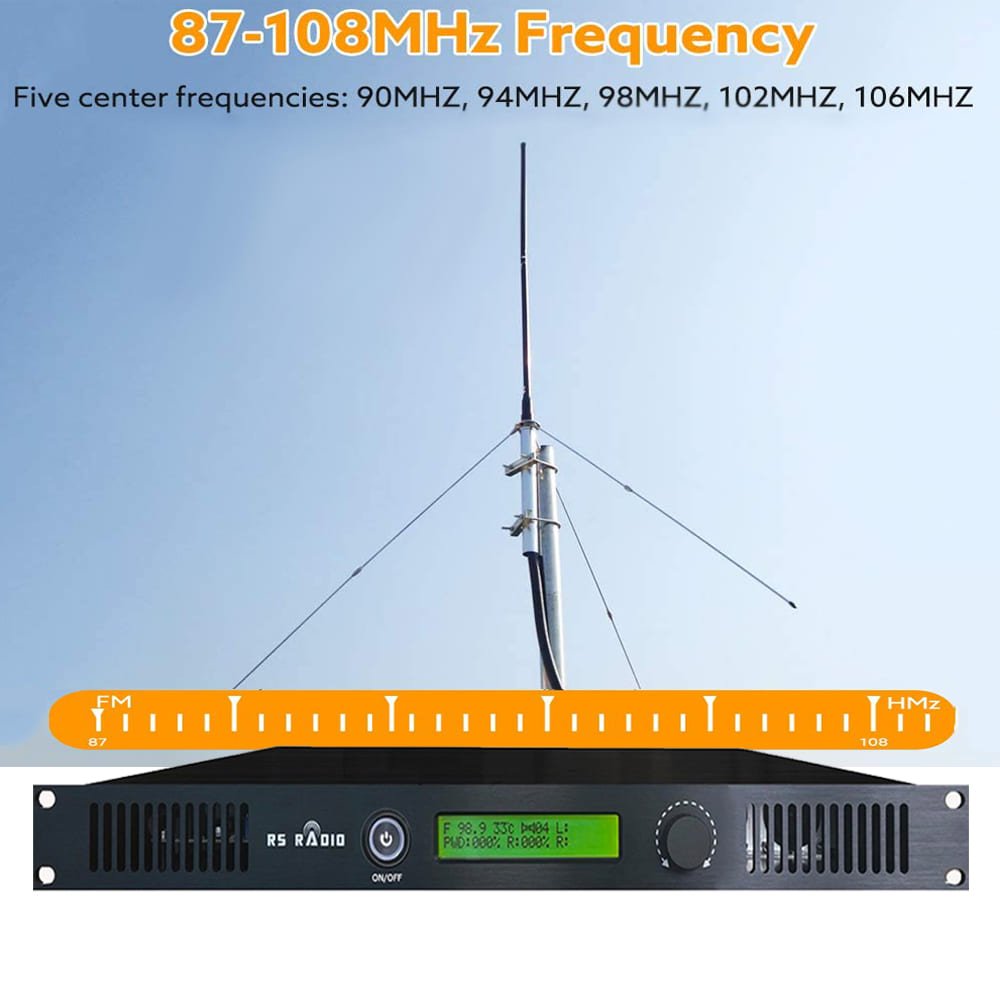
The Mistake: "Let’s buy 300W transmitter first, then apply for frequency later. We’ll just pick an empty spot on the FM dial."
Why This Fails: Frequency licensing comes with restrictions you can’t predict. Maybe the frequency you wanted isn’t available in your area. Or the power limit for available frequencies is lower than your transmitter. You end up with equipment you can’t legally use.
The Right Approach: Research licensing requirements before spending money on equipment.
Understanding Frequency Allocation:
Different countries divide FM band (88-108 MHz) into categories:
| Station Type | Typical Frequency / Power / Licensing |
|---|---|
| Commercial FM | Country-specific allocation;100W–10,000W+;Moderate to difficult |
| Community Radio | Reserved spectrum or mixed;10W–300W;Easier in most countries |
| LPFM (Low Power FM) | Often edge of band;1W–50W;Easiest, sometimes unlicensed |
| Educational | Reserved blocks in some countries;50W–1000W;Moderate |
Real Country Examples:
Tanzania: Community radio gets specific frequency blocks with 100W maximum power. Even if you buy 300W transmitter, you can only operate 100W legally. Waste of money.
Philippines: Frequencies near 88 MHz and 108 MHz are harder to get due to aviation and other service protection. Mid-band frequencies (95-102 MHz) have more availability.
Kenya: Community stations get easier licensing but must serve specific geographic area. Your coverage plan affects which frequency you can request.
Nigeria: Commercial frequencies require substantial application fee ($2,000-5,000) and proof of company registration. Community frequencies cost less but have power restrictions.
What You Need to Research:
1. National Frequency Authority
Every country has regulatory body managing spectrum:
- FCC (USA)
- Ofcom (UK)
- NCA (Ghana)
- CAK (Kenya)
- NCC (Nigeria)
- NTC (Philippines)
Find their website. Read FM broadcasting licensing rules.
2. Frequency Availability in Your Area
Most regulators publish:
- List of licensed stations
- Available frequencies by region
- Protection zones where certain frequencies can’t be used
- Power limits by area
Maybe you’re in capital city where all good frequencies are taken. Or rural area with many open channels.
3. License Categories and Requirements
Understand:
- What type of license you qualify for (commercial, community, educational, LPFM)
- Application process and timeline (might take 3-12 months)
- Application fees ($100-$5,000+ depending on country and station type)
- Technical requirements (engineer’s report, coverage maps)
- Content/programming requirements (local content rules, language requirements)
4. Power Limitations by License Type
This is critical for equipment planning:
Maybe community license limits you to 100W ERP. Your planning should focus on 100W transmitter ($650) + good antenna, not 300W transmitter ($1,339) you can’t use at full power.
Smart Equipment Purchase Sequence:
Step 1: Research frequencies and confirm you can get license
Step 2: Understand power limits for available frequencies
Step 3: Select appropriate transmitter for legal power limit
Step 4: Submit license application with proper technical documentation
Step 5: Purchase equipment after license approval or when approval is certain
Alternative Approach (Higher Risk):
Some stations buy equipment before licensing, betting on getting approved. This works if:
- You have insider knowledge that frequency will be available
- You’re prepared to wait months with equipment sitting unused
- You accept risk that equipment might be wrong specification if frequency assignment differs from plan
I recommend conservative approach—confirm licensing first.
Questions to Answer Before Equipment Purchase:
✓ Which frequencies are actually available in my broadcast area?
✓ What power limit applies to those frequencies?
✓ What’s the application timeline for getting license?
✓ What technical documentation do I need to submit?
✓ Are there any special restrictions (local content, language, ownership)?
✓ What’s the total cost of licensing including fees, engineer reports, and legal work?
Practical Example:
Station in Ghana Planning Launch:
Wrong Sequence:
- Buys 300W transmitter ($1,339)
- Applies for frequency
- Discovers only available frequency has 50W power limit for their location
- Either operates illegally at 300W or has wasted $689 ($1,339 minus $650 for 100W they could have bought)
Right Sequence:
- Researches NCA frequency allocation for their district
- Finds 96.7 MHz available with 100W limit
- Applies for 96.7 MHz specifying 100W operation
- After approval, purchases 100W transmitter ($650) + professional antenna ($350)
- Launches legally with appropriate equipment
The Cost of Getting This Wrong:
I’ve seen stations:
- Buy 1000W transmitter ($1,890) when only 300W is allowed (wasted $551)
- Purchase equipment and never get frequency approval (equipment sits unused)
- Launch illegally, get shut down, face fines ($1,000-$10,000 in some countries)
- Have to relocate transmitter site because frequency approved for different location than planned
All these problems avoided by doing frequency research before equipment purchase.
What You Should Do Today:
- Find your country’s frequency regulator website
- Download FM licensing rules and application forms
- Check frequency availability database for your area (if publicly available)
- Contact regulator with preliminary inquiry about availability
- Budget for licensing costs in addition to equipment costs
- Plan equipment purchase based on confirmed available frequencies and power limits
Only after understanding regulatory landscape should you commit to buying transmitter.
Tip 2: Evaluate Existing Stations and Channel Spacing Requirements
The Mistake: "The frequency seems empty when I scan my radio, so it must be available."
Why This Fails: Your consumer radio might not detect weak distant stations that will interfere with your signal. Or you might detect strong nearby stations on adjacent channels but not realize they limit your options. Proper spectrum survey requires better tools and knowledge.
The Right Approach: Professional spectrum analysis before selecting frequency.
Understanding Channel Spacing:
FM channels are typically spaced 200 kHz (0.2 MHz) apart:
- 88.1, 88.3, 88.5, 88.7… up to 107.9 MHz
But stations need protection from adjacent channels:
| Channel Relationship | Protection / Interference |
|---|---|
| Co-channel (same frequency) | 50+ km separation;Severe – signals mix |
| First adjacent (±0.2 MHz) | 10–30 km separation;High – receivers may lock wrong station |
| Second adjacent (±0.4 MHz) | 5–15 km separation;Moderate – noticeable interference |
| Third adjacent (±0.6 MHz) | 2–5 km separation;Low – minimal issues |
Protection Ratio Concept:
For receivers to lock on your signal without interference, your signal must be stronger than interfering signal by specific amount:
- Co-channel: Need 20 dB stronger (100× power advantage at receiver location)
- First adjacent: Need 6-10 dB stronger (4-10× power advantage)
- Second adjacent: Need 0-3 dB stronger (equal or slightly stronger okay)
This is why geographic separation matters even for stations on different frequencies.
Real Scenario Example:
Your Plan: 100W station on 95.5 MHz in small town
Existing Stations Nearby:
- 95.3 MHz: 300W station 15 km north (first adjacent)
- 95.7 MHz: 50W station 12 km south (first adjacent)
- 95.5 MHz: 1000W station 80 km east (co-channel, distant but might interfere)
Analysis:
The 95.3 MHz station (300W, 15 km away) creates problems. In northern part of your coverage area, that station’s signal will be strong. Your 100W signal might not achieve required 6 dB advantage. Listeners in that zone will experience interference.
Better choice: 96.1 MHz or 94.9 MHz if available—creates more spacing from strong adjacent stations.
Tools for Spectrum Survey:
Consumer FM Radio (Basic, Free):
- Scan through FM band noting all received stations
- Record frequency and apparent signal strength
- Limitation: Only detects strong signals, misses weak distant interference
Professional FM Receiver ($200-500):
- Better sensitivity detects weak signals
- Signal strength meter shows actual levels
- Can identify distant stations your consumer radio misses
Spectrum Analyzer ($500-$3,000):
- Shows all signals across entire FM band simultaneously
- Measures exact signal strength at each frequency
- Identifies noise and interference sources
- Professional tool for serious frequency planning
Online Database Search (Free to Low Cost):
- Many countries publish licensed station databases
- Shows station location, frequency, power
- Limitations: May not include recent licenses or illegal stations
Conducting Proper Spectrum Survey:
Step 1: Survey from Your Proposed Transmitter Site
Bring receiver to exact location where your antenna will be. Tall building, hill, or tower—wherever transmitter will operate.
Why: Your transmitter will "hear" interference from that location. Interference sources weak at ground level might be strong at antenna height.
Step 2: Note All Detected Stations
Create table:
| Frequency | Distance / Strength / Station |
|---|---|
| 89.3 | Local, 2 km south;Very strong;City FM |
| 91.7 | Distant, ~40 km north;Weak;Unknown |
| 94.1 | Medium, 15 km west;Moderate;Community Radio X |
Step 3: Identify Available Clear Channels
Look for frequencies with:
- No signals detected
- At least ±0.4 MHz (two channels) away from strong signals
- At least ±0.2 MHz (one channel) away from weak signals
Step 4: Check Adjacent Channels to Your Candidates
If you’re considering 96.3 MHz, check:
- 96.1 MHz (first adjacent below)
- 96.5 MHz (first adjacent above)
- 96.7 MHz and 95.9 MHz (second adjacent)
Strong signals on first adjacent = problematic
No signals or only weak signals = good choice
Step 5: Consider Time of Day Variations
FM propagation changes with weather and time:
- Evening: Signals sometimes travel farther (tropospheric ducting)
- Rainy season: Different propagation than dry season
Survey multiple times (morning, afternoon, evening) to catch variations.
The Adjacent Channel Problem in Practice:
Case Study: Station in Kampala, Uganda
Initial Plan: 95.1 MHz with 100W transmitter
Survey Results:
- 95.3 MHz: Existing 500W station serving city (VERY strong signal)
- 94.9 MHz: Empty (no detection)
Problem: The 95.3 MHz station is powerful and close. Operating on 95.1 MHz (just 0.2 MHz away) creates mutual interference:
- Their 500W signal bleeds into your 95.1 MHz channel
- Your 100W signal interferes with their 95.3 MHz listeners
- Complaints from both sides likely
Solution: Choose 94.3 MHz or 96.1 MHz instead—creates minimum 1 MHz spacing from the 95.3 MHz strong station. Problem eliminated.
Protection Distance by Power Level:
| Your Power | Adjacent Station Power | Minimum Safe Separation |
|---|---|---|
| 50W | 100W | 8-12 km |
| 100W | 300W | 12-18 km |
| 100W | 1000W+ | 20-30 km |
| 300W | 300W | 15-20 km |
| 300W | 1000W+ | 25-35 km |
These are guidelines. Actual safe distance depends on terrain, antenna heights, and coverage patterns.
What You Should Do:
- Conduct thorough spectrum survey from proposed transmitter location
- Map all existing stations within 50 km
- Calculate protection distances from your power level to nearby stations
- Select frequency with adequate spacing from strong adjacent signals
- Document survey results for license application
Don’t rely on casual scan of FM dial from your car. Invest in proper survey—it prevents problems later.
Tip 3: Map Your Target Coverage Area Before Selecting Frequency
The Mistake: "We found an empty frequency—let’s use that and figure out coverage later."
Why This Fails: Available frequencies might not work for your target coverage area. Maybe the frequency has interference from the north, but your audience is all to the south. Or protection requirements prevent you from covering your priority area.
The Right Approach: Define coverage goals first, then select frequency that serves those goals.
Understanding Directional Considerations:
Your transmitter sits at a point. Coverage extends in all directions, but importance of each direction varies:
Example Station: Community radio in town of 25,000 people
North: Farmland, population 2,000
South: Neighboring town, population 18,000 (your target audience)
East: Mountains, population 500
West: Industrial area, population 1,500
Your priority: South direction (18,000 people). Less important: Other directions (4,000 people total).
Frequency Selection Impact:
Frequency Option A: 94.7 MHz
- No interference from any direction
- Clean coverage 15 km all directions
- Result: Serves 25,000 local + 18,000 south = 43,000 total
Frequency Option B: 96.3 MHz
- Strong station on 96.5 MHz to the south (15 km away)
- Creates interference in southern coverage area
- Result: Serves 25,000 local but poor south coverage = only 28,000 effectively served
Frequency A clearly better despite both being "available" channels.
Coverage Mapping Process:
Step 1: Create Base Map
Get map of your broadcast area showing:
- Your proposed transmitter site
- Towns, villages, populated areas
- Population numbers for each area
- Distance circles (5 km, 10 km, 15 km radius from transmitter)
Free tools: Google Maps, OpenStreetMap
Step 2: Mark Priority Zones
Color-code by importance:
- Red: Must-cover areas (your core audience)
- Orange: Important secondary areas (growth targets)
- Yellow: Nice-to-cover areas (bonus if possible)
- Gray: Don’t care (unpopulated, outside service area)
Step 3: Plot Existing Stations
Add to map:
- Nearby FM stations with their coverage circles
- Note frequencies and power levels
- Mark interference zones (areas where their signal is strong)
Step 4: Overlay Frequency Options
For each candidate frequency:
- Mark where adjacent/co-channel stations create limitations
- Estimate your achievable coverage avoiding interference
- Calculate population served in each priority zone
Step 5: Select Best Frequency for Coverage Goals
Choose frequency that:
- Serves maximum population in RED (must-cover) zones
- Minimizes interference in priority directions
- Allows expansion toward ORANGE (important) zones later
Real Example: District Station in Tanzania
Coverage Goal: Serve district capital (40,000) plus 8 surrounding villages (total 25,000)
Site Selection: Hill overlooking capital, central location
Frequency Analysis:
| Frequency | Coverage / Total Served |
|---|---|
| 93.5 MHz | North 12 km (good);South 8 km (limited by 93.7);East 15 km (good);West 12 km (good);55,000 |
| 95.9 MHz | North 15 km (excellent);South 15 km (excellent);East 10 km (limited by 96.1);West 15 km (excellent);63,000 |
| 98.3 MHz | North 15 km (excellent);South 15 km (excellent);East 15 km (excellent);West 9 km (limited by 98.5);61,000 |
Best Choice: 95.9 MHz serves most population including all priority areas.
Even though 93.5 MHz and 98.3 MHz are also "available," they don’t serve coverage goals as well.
The Population Density Factor:
Coverage radius matters less than population served.
Scenario A: 15 km radius covering farmland
- Coverage area: 706 square km
- Population density: 30 people/km²
- Total served: 21,000 people
Scenario B: 10 km radius covering town and suburbs
- Coverage area: 314 square km
- Population density: 200 people/km²
- Total served: 63,000 people
Scenario B serves 3× more people despite 1/3 less coverage radius. Target your frequency and power selection toward dense population areas.
Considering Future Expansion:
Maybe your initial coverage serves core town (30,000 people). But in 2-3 years, you want to add relay transmitter serving neighboring district (40,000 more people).
Frequency planning should consider:
- Can you use same frequency for relay without interference?
- Or do you need to plan for two-frequency network?
- Does your frequency choice today limit future expansion options?
Choose frequency that supports long-term network growth, not just immediate coverage.
Border Area Special Considerations:
If you’re near international border:
Domestic Direction: Lots of population you want to serve
Border Direction: Lower priority, but frequency might conflict with stations in neighboring country
Options:
- Choose frequency with domestic interference but international clearance (limits domestic coverage)
- Choose frequency with international interference but domestic clearance (limits border coverage, but serves main audience)
Usually Option 2 is better—serve your main population even if border area coverage suffers.
The Terrain Reality:
Your target coverage might be physically unreachable from your site:
Example: Target town is 18 km away in valley behind mountain ridge. Your transmitter is on opposite side of ridge.
Reality: Even 1000W can’t reach that town due to terrain blocking signal.
Solution: Either:
- Choose different transmitter site with line-of-sight to target
- Plan relay transmitter for that town
- Accept you can’t serve that area from current site
Frequency selection won’t fix terrain problems. Site selection must align with coverage goals.
What You Should Do:
- Map your target audience geographically before frequency research
- Prioritize coverage areas by population and importance
- Evaluate frequency options based on how well they serve priorities
- Don’t choose frequency just because it’s available—choose because it serves your coverage goals
- Document coverage justification for license application
Your transmitter should serve your audience, not just occupy a frequency. Plan coverage first, then find frequency that delivers that coverage.
Tip 4: Consider Terrain and Antenna Height Impact on Frequency Reuse
The Mistake: "We’re 40 km from the nearest co-channel station, so frequency should be clear."
Why This Fails: Terrain and antenna height dramatically affect actual interference patterns. Maybe that 40 km station is on mountain transmitting down into your valley. Or you’re both on mountains with clear line-of-sight. Simple distance calculations ignore critical factors.
The Right Approach: Analyze terrain profile and antenna heights when evaluating frequency conflicts.
How Terrain Affects Frequency Reuse:
Scenario A: Flat Open Terrain
Station A: 100W on 96.5 MHz
Station B: 100W on 96.5 MHz (same frequency)
Separation: 50 km, flat plains
Result: Significant interference in middle zone (20-30 km from each station). Signals are similar strength, creating mixing and poor reception. Bad frequency reuse.
Scenario B: Mountain Between Stations
Station A: 100W on 96.5 MHz in valley
Station B: 100W on 96.5 MHz in next valley
Separation: 50 km, but 800m mountain ridge between
Result: Minimal interference. Mountain blocks signals. Each station serves its valley clearly. Good frequency reuse despite shorter distance than Scenario A.
The Height Advantage Complication:
Scenario C: One Station Much Higher
Station A: 300W on 96.5 MHz, antenna at 20m height, in valley
Station B: 100W on 96.5 MHz, antenna at 80m height, on hilltop
Separation: 60 km
Result: Station B’s signal travels much farther due to height advantage. Despite lower power, it interferes with Station A’s coverage. The 60 km separation isn’t enough when one station has major height advantage.
Protection Distance Varies by Terrain:
| Terrain Type | Co-Channel / First Adjacent Protection |
|---|---|
| Flat open plains | 80–100 km;25–35 km |
| Rolling hills | 60–80 km;20–30 km |
| Mountains/valleys | 40–60 km (if blocked);15–25 km (if blocked) |
| Urban high-rises | 50–70 km;18–28 km |
These are guidelines for similar power/height stations. Actual protection depends on specific geometry.
Understanding Line-of-Sight:
FM primarily propagates by line-of-sight. If Station A can "see" Station B (or vice versa), interference risk is high regardless of distance.
Test for Line-of-Sight:
If you stood at Station A antenna height and looked toward Station B, would terrain block your view? Or would you see straight to Station B location?
Clear line-of-sight = interference likely
Terrain blocked = interference reduced
Tools for Terrain Analysis:
Google Earth (Free):
- Place markers at both transmitter sites
- Use "View Path Profile" to see terrain between sites
- Shows if line-of-sight exists
Radio Mobile (Free Software):
- Professional tool for coverage and interference prediction
- Imports terrain data
- Calculates signal strength considering terrain
SPLAT! (Free, Linux):
- Open-source RF propagation tool
- Creates coverage maps accounting for terrain
- Predicts interference zones
Professional Engineering Services ($200-$1,000):
- Detailed terrain analysis and coverage prediction
- Required for license applications in some countries
- Worth investment for commercial stations
Real-World Example: Two Stations on 94.7 MHz
Station 1: City Commercial
- Location: Capital city, elevation 1,200m
- Power: 1000W
- Antenna height: 60m above ground = 1,260m above sea level
Station 2: Your Planned Community Station
- Location: Coastal town, elevation 20m, distance 95 km from Station 1
- Power: 100W planned
- Antenna height: 30m above ground = 50m above sea level
Question: Is 94.7 MHz usable for Station 2?
Simple Distance Math: 95 km separation seems okay for co-channel reuse.
Terrain Analysis:
- Station 1 is 1,200m higher elevation than Station 2
- Clear line-of-sight down from mountains to coast
- Station 1’s signal travels strongly down slope to coastal area
Reality: Station 1’s 1000W signal from high elevation will overpower Station 2’s 100W in your coverage area. The 94.7 MHz frequency isn’t usable for Station 2 despite 95 km separation.
Better frequency choice: Find channel not occupied by high-elevation station in the capital.
Using Terrain to Your Advantage:
Sometimes terrain helps you use frequency that would otherwise be blocked:
Scenario: Limited Frequency Availability
Only available frequency: 97.3 MHz
Problem: Strong station on 97.3 MHz exists 55 km away
Option 1: Place your transmitter in open area = interference likely
Option 2: Place your transmitter in valley with mountains between you and existing station = mountains block their signal from your coverage area = frequency reuse works
Strategic site selection enables frequency use that simple distance calculations say is impossible.
The Antenna Height Factor in Coordination:
When applying for frequency, regulators consider:
- Transmitter power
- Antenna height above average terrain (HAAT)
- Terrain profile toward other stations
- Protection requirements
Two stations with same power but different antenna heights need different separation distances.
Example Protection Requirements:
Both stations 300W, flat terrain:
- Station A antenna at 30m: 50 km co-channel protection needed
- Station B antenna at 100m: 75 km co-channel protection needed
Station B needs 50% more separation due to height advantage extending its interference range.
What This Means for Your Planning:
- Don’t just measure distance to other stations—analyze terrain profile
- Consider elevation differences—high stations reach farther than low stations
- Use terrain blocking to enable frequency reuse when possible
- Plan antenna height considering not just your coverage but interference to others
- Get professional terrain analysis if frequency choice is marginal
Questions to Answer:
✓ What’s the terrain profile between my site and nearby co-channel stations?
✓ Do mountains or valleys provide natural shielding from interference?
✓ What’s my antenna height above sea level vs other stations?
✓ Is there line-of-sight between my proposed site and potential interfering stations?
✓ How does terrain affect my ability to use available frequencies?
Terrain analysis might reveal:
- Frequencies you thought were unusable actually work fine (terrain blocks interference)
- Frequencies you thought were clear actually have problems (high elevation stations reach you)
What You Should Do:
- Map terrain between your site and nearby stations on same or adjacent frequencies
- Calculate height above sea level (not just height above ground) for all antennas
- Use Google Earth or RF tools to check line-of-sight
- Consider site relocation if terrain makes frequency coordination impossible
- Get engineering analysis for marginal frequency choices
Terrain is your friend or enemy in frequency planning. Use it strategically.
Tip 5: Reserve Capacity for RDS and Future Data Services
The Mistake: "We’ll just max out everything—100% modulation, no room for extras. Pure audio signal."
Why This Fails: Modern FM broadcasting increasingly uses RDS (Radio Data System) and other data services. These require reserved modulation capacity. If you design system with zero headroom, adding RDS later becomes problematic.
The Right Approach: Plan modulation and frequency spacing with future data services in mind.
Understanding FM Modulation Capacity:
FM transmitters don’t just send audio. The FM signal can carry:
Main Channel (30 Hz – 15 kHz): Stereo or mono audio
Pilot Tone (19 kHz): Stereo indicator signal
RDS Subcarrier (57 kHz): Station ID, program info, traffic alerts
SCA (Subsidiary Communications Authorization)** (67 kHz, 92 kHz): Additional audio or data channels
Total FM Modulation Bandwidth: ±75 kHz maximum deviation
The Modulation Headroom Problem:
If you push audio modulation to maximum (±75 kHz deviation for loudest audio), you have no capacity left for RDS or data services.
Professional Practice:
- Audio modulation: ±68 kHz maximum (90% of capacity)
- RDS subcarrier: ±2-3 kHz
- Pilot tone and other: ±2-3 kHz
- Total: ±73 kHz, leaving 2 kHz safety margin
This conservative approach leaves room for RDS without over-modulation.
What is RDS and Why It Matters:
RDS transmits digital data alongside audio:
Basic RDS Functions:
- Station Name: Displays "YOUR FM" on radio instead of just "96.5"
- Program Type: News, Music, Talk, etc.
- Radio Text: Scrolling text with song info, announcements
- Alternative Frequencies: Helps receivers find your station on different frequencies if you have network
- Traffic Announcements: Auto-switches to your station for traffic alerts
- Emergency Alerts: Government emergency broadcasting system integration
Listener Benefits:
- Modern car radios show station name automatically
- Smartphones with FM radio display song information
- Improved user experience = more listeners staying tuned
RDS Implementation Requirements:
Hardware: RDS encoder ($150-$800 depending on features)
Modulation capacity: 3-5% of total FM bandwidth
Transmitter compatibility: Must support composite signal input
Setup: Station ID codes, PS (Program Service) name, RT (Radio Text) configuration
Planning for RDS from the Start:
Transmitter Selection: Verify transmitter has composite input (not just audio input). Most professional transmitters include this, but very cheap models might not.
Frequency Spacing Impact: RDS increases occupied bandwidth slightly. While not usually a problem for channel spacing, it affects adjacent channel protection ratios marginally.
Audio Processing: Your audio processor must leave headroom for RDS. Set audio peak levels to 95% maximum, not 100%.
The Over-Modulation Risk:
Without RDS: If you over-modulate (exceed ±75 kHz deviation), you:
- Create splatter interference to adjacent channels
- Violate regulatory limits
- Cause distortion
With RDS Added Later: If your audio already uses 100% modulation, adding RDS causes:
- Guaranteed over-modulation
- Immediate adjacent channel interference complaints
- Regulatory violations
- Either reduce audio levels (sounds quieter than competitors) or remove RDS
Prevention: Design system from the start with 90-95% audio modulation maximum, leaving room for RDS.
Real-World Example:
Station A: No Planning
- Bought cheap transmitter without composite input
- Set audio processing for maximum loudness (100% modulation)
- Year 2: Wants to add RDS for better listener experience
- Problem: Transmitter doesn’t support RDS. Must buy new transmitter ($650-$1,339 to upgrade) or operate without RDS
Station B: Planned Ahead
- Bought transmitter with composite input
- Set audio processing to 92% modulation maximum
- Year 2: Adds RDS encoder ($280)
- Result: RDS implemented smoothly, total bandwidth still within limits
Station B’s planning saved money and enabled future upgrade.
Beyond RDS: Other Data Services:
DARC (Data Radio Channel): Used in some countries for additional data services
DGPS (Differential GPS): Some countries broadcast GPS correction data on FM subcarriers
IBOC / HD Radio: Digital radio alongside analog FM (USA primarily)
Paging Services: Historical use of FM subcarriers for paging systems
While RDS is most common, reserving modulation capacity gives you flexibility for whatever data services emerge or become required in your market.
Frequency Coordination with Data Services:
When planning frequency with neighbors, mention if you plan RDS:
Coordination Discussion:
"We’re planning 300W on 96.7 MHz with RDS. Our modulation will be ±73 kHz maximum including RDS subcarrier. This maintains proper adjacent channel protection to your station on 96.9 MHz."
This professional approach demonstrates you understand technical requirements and won’t cause interference problems.
Equipment Selection Checklist for Future Data Services:
✓ Transmitter has composite input (for RDS and other subcarrier services)
✓ Audio processor configurable to limit peak deviation to 90-95%
✓ Modulation monitor available to verify total modulation stays within limits
✓ Budget includes RDS encoder even if not implementing immediately
Cost Planning:
Immediate Setup (Basic FM):
- Transmitter 300W: $1,339
- Audio processor: $200-$800
- Total: $1,539-$2,139
RDS-Ready Setup:
- Transmitter 300W with composite: $1,339 (same price)
- Audio processor with headroom management: $400-$1,000
- RDS encoder: $280 (can be added later)
- Total: $1,739-$2,619 now, or add $280 when ready
The RDS-ready approach costs only $200-$480 more initially (better audio processor) but enables smooth RDS implementation anytime. Worth the small extra investment.
What You Should Do:
- Verify transmitter specifications include composite input capability
- Configure audio processing for 90-95% modulation maximum, not 100%
- Budget for RDS encoder even if not implementing initially
- Plan modulation capacity in frequency coordination with neighbors
- Test modulation monitoring to confirm total deviation within limits
Modern FM broadcasting increasingly expects RDS. Plan for it from the start even if you don’t implement immediately.
Tip 6: Balance Power and Frequency Selection Instead of Maximizing Power
The Mistake: "Let’s get maximum power transmitter (1000W) and force it to work on whatever frequency we get."
Why This Fails: A clean frequency with moderate power often provides better coverage than high power on a congested frequency. More power on a problematic frequency just creates more problems for everyone.
The Right Approach: Optimize the power-frequency combination for best results.
Understanding the Trade-Off:
Scenario A: High Power, Congested Frequency
- Frequency: 95.3 MHz (three other stations on 95.1, 95.5, 95.7 nearby)
- Your power: 1000W
- Coverage: Limited by adjacent channel interference despite high power
- Problems: Interference complaints from neighbors, your signal also suffers
Scenario B: Moderate Power, Clear Frequency
- Frequency: 93.7 MHz (nearest stations are 93.1 and 94.5 MHz)
- Your power: 300W
- Coverage: Clean signal throughout coverage area
- Problems: None—everyone’s happy
Scenario B likely provides better usable coverage despite 1/3 the transmitter power.
The Math of Clear vs Congested Channels:
Clear Channel Performance:
- 300W ERP on clear frequency
- Receivers lock on your signal at 50 dBμV/m field strength
- Typical coverage: 25-30 km reliable
Congested Channel Performance:
- 1000W ERP on frequency with adjacent interference
- Receivers need 56 dBμV/m (6 dB stronger) to overcome adjacent channel
- Effective coverage: 20-25 km reliable
The 1000W station on congested frequency performs worse than 300W on clear channel. You spent $551 extra on equipment, pay 3× more for electricity, and get less coverage.
Strategic Frequency Selection for Power Level:
Low Power Strategy (50-100W):
- Critical: Must have very clear frequency
- Cannot compete with adjacent interference
- Prioritize frequency cleanliness over optimal band position
- Example: Accept 88.9 MHz (edge of band) if it’s completely clear, rather than 96.5 MHz (mid-band) with interference
Medium Power Strategy (100-300W):
- Can tolerate weak distant stations on adjacent channels
- Should avoid strong local stations on adjacent channels
- Balance frequency position and interference levels
- Example: 97.3 MHz with distant weak stations on 97.1/97.5 is acceptable
High Power Strategy (300W+):
- Can overcome moderate adjacent channel interference
- Should still avoid co-channel conflicts
- Frequency position matters less due to power advantage
- Example: 1000W can work on frequency with adjacent stations if properly coordinated
The Equipment Selection Process:
Wrong Sequence:
- Buy 1000W transmitter
- Apply for frequency
- Get assigned crowded frequency
- Struggle with interference
Right Sequence:
- Survey frequency availability
- Identify clear vs congested frequencies
- Calculate power needed for clean frequency option
- Buy appropriate transmitter for optimal frequency choice
Real Example Comparison:
Station Planning Coverage of 30 km Radius
Approach A: Power-First
- Calculates need 500W for 30 km radius (theoretical)
- Buys 500W transmitter: $1,560
- Gets assigned 104.7 MHz (only available, but has strong station on 104.9)
- Actual coverage: 22 km due to interference
- Cost: $1,560 equipment + $135/month electricity
- Result: Fails to meet coverage goal
Approach B: Frequency-First
- Surveys frequencies, finds 92.3 MHz completely clear
- Calculates that clean 300W achieves 30 km on clear frequency
- Buys 300W transmitter: $1,339
- Actual coverage: 28-32 km (clean signal)
- Cost: $1,339 equipment + $80/month electricity
- Result: Meets coverage goal, saves money
Approach B wins: Better coverage, lower cost, fewer problems.
Coordinating Power Levels with Neighbors:
When multiple stations are nearby, power levels should be somewhat balanced:
Problem Scenario:
- Station A: 10,000W commercial on 95.1 MHz
- Station B: 1000W commercial on 95.5 MHz
- Your plan: 50W community on 95.3 MHz
Result: You’re crushed between two high-power stations. Your 50W gets lost in their adjacent channel interference. Listeners can’t find you.
Better Strategy: Choose frequency away from high-power stations—maybe 93.5 MHz where you’re not competing with giants.
The Interference Complaint Risk:
Higher power = higher responsibility for interference management
100W Station: If you cause interference, it’s local problem affecting small area. Easy to resolve with small adjustments.
1000W Station: If you cause interference, it’s regional problem affecting many listeners. Regulatory scrutiny, possible shutdown orders, expensive fixes.
Lesson: Don’t buy more power than you can responsibly manage in your frequency environment.
Frequency-Specific Power Limits:
Some regulatory authorities assign power limits based on frequency:
Example Framework (varies by country):
- 88-92 MHz: Maximum 100W (edge of band, potential aviation interference)
- 92-98 MHz: Maximum 1000W (clear band)
- 98-102 MHz: Maximum 500W (crowded, requires protection)
- 102-108 MHz: Maximum 300W (very crowded, strict coordination)
If you buy 1000W transmitter but your assigned frequency has 300W limit, you wasted $771 ($1,890 minus $1,119 for 300W you’re actually allowed).
The Coverage Quality vs Coverage Distance Balance:
High Power Approach: 1000W for maximum distance
- Reaches 40 km
- Inner 10 km: Signal too strong, possibly over-drives receivers
- 10-30 km: Good signal
- 30-40 km: Weak fringe coverage
- Quality inconsistent across coverage
Appropriate Power Approach: 300W matched to area
- Reaches 25 km
- Inner 15 km: Strong consistent signal
- 15-25 km: Good reliable signal
- Quality consistent throughout coverage
- Plus: If using clear frequency, signal quality remains high throughout
Better to serve 25 km well than 40 km poorly.
Cost-Benefit Analysis Tool:
| Frequency Option | Power / Cost / Coverage |
|---|---|
| Clear 93.7 MHz | 300W;Equipment $1,339;$80/month;Excellent;3-year total $4,219 |
| Moderate 96.5 MHz | 500W;Equipment $1,560;$135/month;Good;3-year total $6,420 |
| Congested 104.3 MHz | 1000W;Equipment $1,890;$216/month;Fair;3-year total $9,666 |
The clear frequency with moderate power wins economically and performance-wise.
What You Should Do:
- Survey frequencies before deciding power level
- Calculate what power actually needed on each frequency option accounting for interference
- Choose combination of frequency + power that meets coverage goals most efficiently
- Don’t automatically buy maximum power—buy appropriate power for best available frequency
- Factor operating costs into decision—clean frequency with lower power saves money long-term
Smart frequency selection can save you $500-1,000 on equipment purchase and $500-1,500 per year on operating costs while providing better coverage.
Tip 7: Coordinate and Communicate with Neighboring Stations
The Mistake: "We have legal frequency license—we don’t need to talk to other stations."
Why This Fails: Legal licensing handles regulatory compliance, but doesn’t prevent real-world interference problems. Other stations might cause you trouble even if everyone follows rules. Proactive communication prevents conflicts.
The Right Approach: Build relationships with nearby stations before problems emerge.
Why Coordination Matters Beyond Licensing:
Regulatory licensing ensures:
- Frequencies don’t overlap (same channel conflicts)
- Minimum geographic separation maintained
- Power limits appropriate for area
Practical coordination ensures:
- Adjacent channel interference minimized through power/antenna agreements
- Coverage boundaries respected to avoid service area conflicts
- Technical problems resolved collaboratively
- Future frequency changes don’t create surprise conflicts
Think of it like being neighbors: You might legally be allowed to paint your house bright purple, but telling your neighbors first prevents relationship problems.
Pre-Launch Coordination Steps:
Step 1: Identify Relevant Stations
Contact stations:
- Within 50 km on same frequency (co-channel)
- Within 30 km on adjacent frequencies (±0.2 MHz, ±0.4 MHz)
- Any station whose coverage overlaps your planned coverage
Step 2: Introduce Yourself and Share Plans
Send professional email or letter:
"Hello, I’m planning to launch [Your Station Name] on [Frequency] with [Power]W from [Location]. We’ll serve [Coverage Area]. According to our engineering analysis, we should maintain proper separation from your station on [Their Frequency]. I wanted to introduce ourselves and offer to discuss any technical considerations. Our engineering contact is [Name/Email/Phone]."
Step 3: Share Technical Details
Provide:
- Exact frequency
- Transmitter power and ERP
- Antenna location (lat/long coordinates)
- Antenna height and type
- Proposed coverage map
- Expected field strength at their station location
Step 4: Request Their Technical Details
Ask for:
- Their current and future frequency plans
- Coverage maps showing service contours
- Any known interference issues in the area
- Preferred contact for technical coordination
Step 5: Conduct Test Broadcasts
Before full launch:
- Run test transmissions at proposed power
- Ask neighboring stations to monitor for interference
- Invite them to report any problems during test phase
- Adjust parameters if needed before official launch
Step 6: Establish Ongoing Communication
Agree on:
- Technical contact persons for each station
- How to report interference issues (phone, email, WhatsApp)
- Response time expectations (within 24 hours, etc.)
- Regular check-ins if coverage areas overlap significantly
Real Coordination Success Example:
Scenario: New community station planning 100W on 94.9 MHz
Nearby station: Commercial station on 94.7 MHz (first adjacent), 18 km away, 300W
Coordination Process:
Week 1: Community station contacts commercial station, shares plans
Week 2: Commercial station provides coverage maps, notes their signal reaches community station’s area
Week 3: Both stations agree:
- Community station will use directional antenna minimizing signal toward commercial station
- Commercial station confirms they’ll maintain current parameters
- Exchange technical contacts
Week 4: Community station runs test broadcasts
- Commercial station monitors, confirms no interference
- Community station confirms they receive commercial station cleanly
Result: Both stations launch successfully, no conflicts, good relationship established
The Adjacent Channel Interference Discussion:
When you’re on adjacent channel to nearby strong station, coordination conversation might include:
Mutual Adjustments:
- "We’ll use 300W with directional pattern away from you"
- "We’ll monitor our modulation to minimize splatter"
- "Can you confirm your antenna polarization so we can match for better separation?"
Agreed Boundaries:
- "Your primary coverage is north, ours is south—we’ll avoid targeting the overlap zone"
- "We’ll both use circular polarization to minimize interference"
Monitoring Protocol:
- "Let’s exchange phone numbers—if either station gets interference complaints in the overlap area, we’ll investigate together"
The Interference Resolution Process:
Even with good planning, interference happens. Pre-established communication makes resolution faster:
Problem Reported:
"We’re getting interference complaints from Village X area"
Good Coordination Response:
- Contact neighboring station immediately
- Share specific complaint details (location, time, nature of interference)
- Jointly investigate—might be:
- Equipment malfunction on one station
- Illegal pirate station causing problems for both
- New building/obstacle creating unexpected propagation
- Agree on solution and timeline
- Test and confirm resolution
- Follow up with person who complained
Without Coordination:
- Problem festers for weeks
- Complaints escalate to regulatory authority
- Regulatory investigation and potential fines
- Relationships damaged
- Expensive technical fixes mandated
Cost of Poor Coordination:
Scenario: Two stations launch without coordination
Year 1: Mutual interference in overlap zone
Year 2: Both stations file complaints with regulator
Year 3: Regulatory hearing, both stations ordered to reduce power
Cost: $2,000 legal fees + $5,000 engineering studies + reduced revenue from smaller coverage
With coordination: $0 cost, problems prevented through cooperation
Building Station Networks Through Coordination:
Maybe you plan to expand to multiple transmitter sites eventually. Good relationships with other stations can lead to:
Frequency Sharing Agreements:
"We use 96.5 MHz in District A, you use 96.5 MHz in District B—we’re separated by mountains so no conflict"
Relay Cooperation:
"Your signal doesn’t reach Valley X, ours doesn’t reach Village Y—we’ll relay your signal if you relay ours"
Technical Assistance:
"We have spectrum analyzer—we’ll help you investigate interference issues if you share technical expertise"
Emergency Backup:
"If your transmitter fails, we’ll broadcast your emergency announcements until you’re back up"
The Border Area Special Case:
If you’re near international border:
Cross-Border Coordination:
- Contact stations in neighboring country on same/adjacent frequencies
- Understand international frequency agreements
- Recognize that formal coordination might go through government channels
- Build informal technical relationships anyway
Border Example:
Station in Kenya near Tanzania border contacts Tanzanian station 30 km across border:
"We’re planning 95.1 MHz in Kenya. We understand you operate 95.3 MHz in Tanzania. We’d like to coordinate to ensure neither of us causes problems. Can we share technical information?"
This prevents international diplomatic incidents over radio interference.
The Pirate Station Challenge:
Sometimes interference comes from unlicensed stations. Coordinated legal stations can:
Joint Monitoring:
- Share information about pirate station activity
- Document interference for regulatory authorities
- Present united complaint to authorities
Collective Pressure:
- Multiple stations reporting same pirate = faster regulatory action
- Coordinated legal stations have more influence than individual complaints
Documentation for Authorities:
Good coordination records help if regulatory issues arise:
Coordination File Contains:
- Emails/letters with neighboring stations
- Technical data exchanges
- Test results and agreements
- Interference investigation notes
- Resolution documentation
If regulator questions your operation, you can show: "We coordinated professionally with all affected stations."
What You Should Do:
- Identify and contact neighboring stations before launch
- Share technical plans openly and request their information
- Conduct test broadcasts with their cooperation
- Establish communication protocols for future issues
- Document all coordination for regulatory compliance
- Maintain relationships through regular communication
- Resolve problems collaboratively when they arise
Professional coordination costs nothing but prevents expensive problems. It’s the smartest investment you can make in frequency planning.
Tip 8: Treat Frequency Planning as Ongoing Maintenance, Not One-Time Task
The Mistake: "We got our frequency license and equipment—frequency planning is done."
Why This Fails: The RF environment changes constantly. New stations launch. Existing stations change power or antenna. Equipment develops faults. Interference sources appear. Your "perfect" frequency situation degrades over time without attention.
The Right Approach: Monitor and maintain your frequency environment continuously.
How the RF Environment Changes:
New Stations Appear:
- Regulatory authority licenses new broadcasters
- Pirate stations start operating illegally
- Both can create new interference patterns
Existing Stations Change:
- Upgrade transmitter power
- Move transmitter locations
- Change antenna systems
- Modify coverage patterns
Equipment Ages and Fails:
- Your transmitter develops spurious emissions
- Filter degradation increases bandwidth
- Antenna damage changes radiation pattern
- All create interference you didn’t have initially
Environmental Changes:
- New buildings affect propagation
- Tree growth blocks signals
- Infrastructure creates electrical noise
- Climate changes affect long-distance propagation
Regulatory Updates:
- Frequency reallocation for new services
- Power limit changes
- Coordination requirement updates
The Quarterly Frequency Health Check:
Every 3 Months, Review:
1. Spectrum Monitoring
- Scan FM band from your transmitter site
- Note any new signals on adjacent channels
- Check if existing stations changed strength
- Document any unusual interference
2. Coverage Testing
- Drive test key areas of coverage
- Verify signal strength remains consistent
- Check for new dead zones or interference areas
- Note any quality degradation
3. Interference Reports
- Review listener complaints about signal quality
- Check if other stations complained about your signal
- Investigate any patterns in interference reports
4. Equipment Performance
- Verify transmitter output power stable
- Check modulation monitor for spurious signals
- Inspect antenna and feedline condition
- Confirm all parameters within specifications
5. Regulatory Compliance
- Verify license renewal dates
- Check for new regulations affecting your operation
- Ensure technical documentation current
- Confirm fees paid and paperwork complete
Tools for Ongoing Monitoring:
Spectrum Analyzer (Professional, $500-$3,000):
- Regular spectrum scans
- Identifies new interference sources
- Measures your own signal quality
- Documents technical compliance
Signal Strength Meter (Affordable, $100-$300):
- Drive testing equipment
- Measures field strength at various locations
- Tracks coverage changes over time
Modulation Monitor (Professional, $800-$2,500):
- Monitors your transmitted signal quality
- Detects equipment problems before they worsen
- Verifies modulation within limits
- Documents clean signal for regulators
Spectrum Analysis Software (Free to $500):
- Radio Mobile, SPLAT!, or commercial tools
- Creates coverage predictions
- Compares actual vs predicted coverage
- Identifies interference sources
Listener Feedback System (Low Cost):
- WhatsApp group or phone hotline
- Listeners report problems quickly
- Early warning of coverage issues
Annual Comprehensive Review:
Once Per Year, Conduct Deep Analysis:
1. Complete Spectrum Survey
- Comprehensive scan of all FM band from multiple locations
- Compare to previous year’s survey
- Identify all changes in RF environment
2. Coverage Mapping
- Professional drive testing throughout coverage area
- Create updated coverage maps
- Compare to initial coverage maps from launch
- Quantify any coverage degradation
3. Technical Audit
- Professional engineer inspects complete system
- Tests transmitter performance and specifications
- Checks antenna system and feedline
- Measures actual ERP vs licensed ERP
- Generates compliance report
4. Neighbor Station Coordination Review
- Contact nearby stations
- Confirm no ongoing mutual interference issues
- Discuss any future changes either station plans
- Update technical contact information
5. Regulatory Compliance Check
- Verify all licenses current
- Review any new regulations from past year
- Ensure technical documentation updated
- Prepare for license renewal if approaching
6. Long-Term Planning Update
- Review audience growth and coverage needs
- Consider whether power/frequency remains optimal
- Plan any technical upgrades needed
- Budget for equipment maintenance or replacement
Real Example of Proactive Monitoring Value:
Month 1: Station launches on 96.3 MHz, 300W, clean signal
Month 6 (Routine Check): Spectrum scan shows new weak signal on 96.5 MHz (adjacent channel)
- Action: Contact regulatory authority, identify new station planning
- Result: Coordinate with new station before they launch at full power
Month 12 (Annual Review): Drive testing shows coverage reduced 15% in western area
- Investigation: Tree growth blocking signal path
- Action: Trim trees near antenna site, coverage restored
- Cost: $200 tree trimming vs potential $2,000+ antenna height increase
Month 18 (Routine Check): Listeners report occasional distortion
- Investigation: Transmitter modulation monitor shows spurious signals
- Action: Replace aging audio processor capacitors
- Cost: $150 repair vs $1,000+ transmitter replacement if let fail completely
Month 24 (Annual Review): Spectrum survey shows pirate station causing interference
- Action: Document interference, file complaint with authorities
- Result: Pirate station shut down before seriously affecting your coverage
Total cost of monitoring: $500 over 2 years
Cost avoided through early detection: $3,000+ in emergency repairs and coverage loss
The Pirate Station Problem:
Illegal broadcasters are ongoing threat:
Without Monitoring:
- Pirate launches on frequency adjacent to yours
- Operates for months before you notice interference complaints
- Your coverage quality degraded, listeners switch to competitors
- By the time you complain, damage done
With Monitoring:
- Routine spectrum scan detects pirate within days of launch
- Immediately document interference and notify authorities
- Quick shutdown prevents significant coverage impact
Equipment Degradation Detection:
Transmitters and antennas age gradually:
Transmitter Issues:
- Power output slowly decreases (10% loss over 2 years = 10% coverage loss)
- Frequency stability degrades (drift toward adjacent channel)
- Harmonic filtering weakens (spurious emissions increase)
Antenna Issues:
- Corrosion reduces efficiency
- Physical damage changes pattern
- Feedline loss increases with age
Early Detection Benefits:
- Replace components before complete failure
- Maintain consistent coverage quality
- Avoid off-air emergencies
- Lower total maintenance costs
Frequency Coordination Updates:
As stations in your area change, update coordination:
New Station Launches:
- Introduce yourself
- Share technical parameters
- Establish communication
Existing Station Upgrades:
- They notify you of plans
- Discuss potential interference impact
- Adjust parameters if needed
Station Closures:
- Note frequency now available
- Consider if useful for future expansion
- Reduces interference constraints
The Regulatory Compliance Advantage:
Regular monitoring produces documentation:
Regulator Inspects Your Station:
- You provide quarterly spectrum scans showing clean signal
- Annual engineering reports demonstrating compliance
- Coordination correspondence with neighbors
- Maintenance logs showing proactive equipment care
Result: Regulator sees professional operation, minimal scrutiny
vs
No Monitoring:
- Regulator inspection finds issues you weren’t aware of
- No documentation of compliance efforts
- Appear neglectful or unprofessional
Result: Regulatory warnings, fines, or increased oversight
Creating Monitoring Schedule:
| Frequency | Activity / Tools / Time / Cost |
|---|---|
| Weekly | Transmitter performance check;Visual inspection, power meter;15 minutes;$0 |
| Monthly | Basic spectrum scan;Receiver or analyzer;1 hour;$0 |
| Quarterly | Coverage spot checks;Vehicle, radio, signal meter;4 hours;$50 fuel |
| Quarterly | Comprehensive spectrum survey;Spectrum analyzer;4 hours;$100 |
| Quarterly | Neighbor coordination check;Phone/email;2 hours;$0 |
| Semi-annual | Extended drive testing;Vehicle, equipment;8 hours;$100 fuel |
| Annual | Professional technical audit;Engineer, test equipment;1 day;$500–$1,000 |
| Annual | Regulatory compliance review;License files, documentation;4 hours;$0 |
Total annual monitoring cost: $1,200-$1,800
Value: Prevents $3,000-$10,000 in emergency repairs, coverage loss, and regulatory problems
Building Monitoring into Operations:
Assign Responsibility:
- Technical manager performs routine checks
- Chief engineer conducts quarterly reviews
- External consultant performs annual audit
Document Everything:
- Maintain log of all monitoring activities
- Record spectrum scans with date/time
- Photograph equipment conditions
- Save all correspondence with regulators and neighbors
Set Response Thresholds:
- Spectrum changes: Investigate within 1 week
- Coverage degradation >5%: Investigate within 2 weeks
- Interference complaints: Respond within 24 hours
- Equipment anomalies: Investigate immediately
The Long-Term Planning Component:
Monitoring reveals trends:
Coverage Growth: Maybe your 300W station originally served 50,000 people. After 3 years, population growth increased potential audience to 75,000. Monitoring shows weak coverage in new development areas.
Planning Response: Budget for 500W upgrade or relay transmitter to serve growth
Spectrum Changes: Maybe over 2 years, three new stations launched on frequencies adjacent to yours. Frequency that was clean now has interference risk.
Planning Response: Consider frequency change to less congested channel
Equipment Aging: Transmitter is 7 years old, maintenance logs show increasing failure frequency.
Planning Response: Budget for transmitter replacement in next fiscal year before catastrophic failure
Technology Evolution: New RDS features become standard, competitive stations implement them.
Planning Response: Budget for RDS encoder and implementation
Monitoring drives intelligent long-term investments rather than reactive emergency spending.
The Competitive Advantage:
Stations with monitoring programs:
- Maintain consistent coverage quality
- Respond quickly to technical problems
- Avoid off-air emergencies
- Demonstrate professionalism to regulators
- Plan upgrades strategically
Stations without monitoring:
- Gradual coverage degradation goes unnoticed
- Problems become crises before detection
- Frequent off-air emergencies
- Reactive relationship with regulators
- Emergency spending on repairs
Your station’s reliability and quality = listener loyalty and revenue
What You Should Do:
- Create monitoring schedule matching your station’s size and budget
- Assign clear responsibility for each monitoring task
- Document all findings in organized system
- Set response protocols for various problem types
- Budget for monitoring as ongoing operational expense
- Use monitoring data to drive strategic planning
- Treat frequency as valuable asset requiring active management
Frequency planning isn’t a one-time project—it’s ongoing stewardship of your station’s most critical technical resource.
Summary: Frequency Planning Success Strategy
Frequency planning determines whether your station succeeds or struggles. Equipment is just hardware—frequency is your station’s home in the spectrum. Choose wisely, maintain diligently, and coordinate professionally.
Stations that treat frequency planning as critical strategic process outperform stations that treat it as administrative checkbox. The difference shows in coverage quality, operational costs, regulatory relationships, and long-term sustainability.
Maybe frequency planning seems complex, but it’s fundamentally about:
- Understanding your legal options
- Knowing your technical environment
- Serving your target audience effectively
- Building good relationships
- Maintaining what you build
Follow these 8 tips and you’ll make frequency decisions that serve your station for years to come.