Top 7 FM Transmitters for Campus & School Radio Stations
Professional Selection Guide for Student Radio, Campus Broadcasting, and Educational Institutions
I’m an RF engineer at RS, and I’ve helped set up FM transmitters for over 80 campus and school radio stations worldwide—from high school journalism programs in the Philippines to university broadcast systems in Mexico and community college stations in the USA. Maybe you’re a student activities coordinator with limited budget, a communications teacher planning a student-run station, or a campus IT manager tasked with selecting broadcasting equipment.
Choosing the wrong transmitter wastes money and creates coverage problems. Too little power leaves dead zones across campus. Too much power violates regulations and wastes budget. This guide shows you the 7 best FM transmitters matched to real campus scenarios, from small club radio to full campus-wide broadcasting systems.
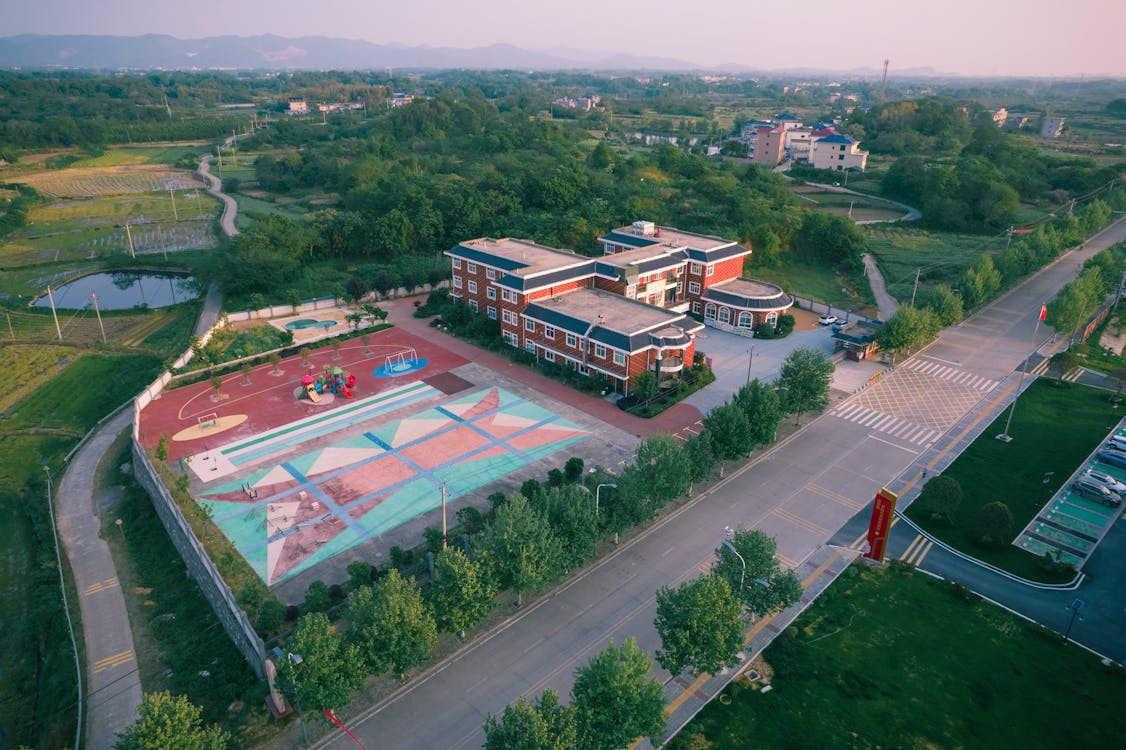
What Makes a Good Campus Radio Transmitter?
Before diving into specific models, let’s clarify what actually matters for campus and school applications:
1. Appropriate Coverage Range
The most common mistake: Buying based on price without considering coverage needs.
Campus radio has specific coverage requirements different from commercial broadcasting:
- Student club radio: Dorm buildings, student center (200m-1km radius)
- Campus-wide system: Multiple buildings, outdoor areas, parking (1-3km radius)
- Community-engaged station: Campus plus surrounding neighborhoods (3-5km radius)
- Multi-campus system: Several campus locations or large university (5km+ radius)
Power-to-coverage reference (assumes 30m antenna height, moderate terrain):
| Power Level | Typical Coverage | Best Application |
|---|---|---|
| 7-15W | 0.5-2 km radius | Single dorm, small school |
| 30-50W | 2-3 km radius | Standard campus coverage |
| 100W | 4-7 km radius | Large campus, multiple buildings |
| 300W | 8-12 km radius | University + surrounding community |
| 500W+ | 12-20 km radius | Regional educational network |
2. Audio Quality and Features
Campus radio serves diverse programming—student DJs, lectures, sports broadcasts, cultural programs. Your transmitter needs:
- Stereo capability: Essential for music programming (all models in this list have stereo)
- Audio processing: Built-in limiter prevents overmodulation during live shows
- Multiple inputs: Connect DJ mixer, computer, emergency microphone simultaneously
- RDS support: Displays station name and song info on modern receivers (optional but valuable)
3. Reliability and Student-Friendly Operation
Unlike commercial stations with professional engineers, campus radio often relies on students and faculty:
- Simple setup: Clear controls, not requiring RF engineering degree
- Stable operation: Runs 24/7 without constant adjustment
- Protection systems: Over-temperature, SWR, and power protection prevent student operation errors from destroying equipment
- Remote monitoring: Check transmitter status from studio or off-campus
4. Compliance and Budget
Educational institutions must consider:
- Regulatory compliance: FCC certification (USA), CE marking (international), meets power limitations
- Initial cost: Budget constraints are real—balance capability with available funding
- Operating costs: Electricity consumption varies dramatically by power level
- Long-term support: Warranty, replacement parts, technical assistance
Now let’s look at the 7 best transmitters matched to specific campus scenarios.
Quick Comparison: Top 7 Campus FM Transmitters
| Model | Power | Coverage | Best For | Key Feature | Price Range |
|---|---|---|---|---|---|
| RS-15W | 15W | 0.5-2 km | Club radio, small schools | Budget-friendly, complete kit | $249 |
| RS-30W | 30W | 2-3 km | Medium campus, dorm network | Excellent price/performance | $380 |
| RS-50W | 50W | 3-4 km | Standard campus coverage | Most popular campus choice | $488 |
| RS-100W | 100W | 5-7 km | Large campus, multiple buildings | Professional features | $650 |
| RS-150W | 150W | 6-9 km | University with surrounding areas | Power scalability | $880 |
| RS-300W | 300W | 10-15 km | Multi-campus or community service | Broadcast-grade quality | $1,339 |
| RS-500W | 500W | 15-20 km | Regional educational network | Maximum legal power for many areas | $1,560 |
%(Comparison table)FM transmitter comparison for campus radio
Scenario 1: Student Club & Small School Radio
Coverage Need: Single dormitory, student center, or small school campus (0.5-2 km radius)
Typical Users: High school radio clubs, small college student organizations, residence hall networks
Recommended: RS-15W FM Transmitter
Technical Specifications:
- Output Power: 15W adjustable (0-15W)
- Frequency Range: 87-108 MHz
- Audio Inputs: XLR, RCA stereo
- Built-in Limiter: Yes
- Display: LCD with menu system
- Certifications: FCC, CE
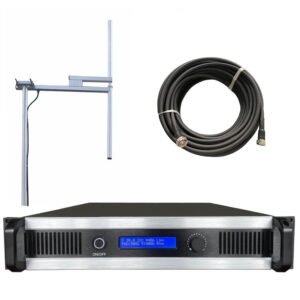
- Included: Transmitter + dipole antenna + 10m cable
Why It Works for This Scenario:
This is the entry point for campus radio—perfect for student groups with $500-800 total budget. The 15W output covers a single dorm building reliably or reaches 1-2 km outdoors. I helped a high school journalism class in California set up their first station with this model. Antenna mounted on school roof (12m height), signal covers entire campus (400m × 300m) plus adjacent residential blocks.
The complete kit approach is crucial for first-time setups. You get transmitter, antenna, and cable—everything needed to go on air (except audio source). This eliminates confusion about compatibility and reduces setup complexity.
Strengths:
- Complete kit (no separate antenna purchasing decisions)
- Low power consumption (~40W AC draw)
- Simple operation (students learn quickly)
- Adjustable power (comply with low-power restrictions)
- 5-year warranty (outlasts typical student’s time at school)
Limitations:
- Limited range (not suitable if you need 3+ km coverage)
- Basic antenna included (professionals might want upgrade)
- No RDS encoder (can add externally if needed)
Best For:
- Starting student radio programs
- High schools and small colleges
- Budget-constrained projects
- Testing campus radio concept before expanding
Real Cost: $249 complete kit. Add $150-200 for audio mixer and microphone = $400-450 total to go on air.
Scenario 2: Standard Campus Coverage
Coverage Need: Typical college campus with 5-10 buildings, outdoor common areas, parking lots (2-4 km radius)
Typical Users: University student media, campus information networks, educational broadcasters
Recommended: RS-50W FM Transmitter
Technical Specifications:
- Output Power: 50W adjustable
- Frequency Stability: ±100 Hz
- THD: <0.1%
- Audio Processing: Built-in compressor/limiter
- Stereo Separation: >45 dB
- Remote Control: Optional network interface
- Cooling: Temperature-controlled fan
Why It Works for This Scenario:
The 50W power level hits the sweet spot for campus radio—enough coverage for most campuses without excessive licensing complexity. This is our most popular campus model, deployed at universities from Texas to Tanzania. With proper antenna placement (20-30m height on tallest campus building), you achieve reliable coverage across typical campus footprint plus 1-2 km into surrounding community.
A student station in Manila uses RS-50W to cover their 8-building campus (1.2 km × 0.8 km). Students receive clear signal in classrooms, dorms, cafeteria, and sports fields. The built-in audio processing means less equipment needed—just connect mixer output directly to transmitter.
Strengths:
- Optimal power for typical campus (not overkill)
- Built-in audio processing saves $200-300 on external processor
- Professional audio quality (THD <0.1%, clean stereo)
- Reliable continuous operation (many run 24/7 for years)
- Network monitoring option (check status from studio)
Limitations:
- Requires separate antenna purchase (~$150-250)
- Larger size (requires rack mounting or dedicated shelf)
- Higher power consumption (~150W AC) than 15W model
Best For:
- Standard university and college campuses
- Established student media organizations
- Campus with dedicated studio space
- 24/7 broadcasting operations
Real Cost: $488 transmitter + $200 antenna/cable + $300 audio mixer = $988 complete system. Professional quality at reasonable price.
%(Campus coverage)50W FM transmitter campus coverage area
Scenario 3: Large Campus & Multi-Building Coverage
Coverage Need: Large university campus, multiple buildings spread over wide area (4-7 km radius)
Typical Users: Major universities, educational networks, campus + student housing complexes
Recommended: RS-100W FM Transmitter
Technical Specifications:
- Output Power: 100W adjustable
- Frequency Range: 87-108 MHz programmable
- Audio Inputs: Balanced XLR + unbalanced RCA + USB
- RDS Encoder: Optional built-in
- LCD Display: Full status monitoring
- Protection: SWR, over-temperature, over-current
- Remote Control: Ethernet + RS-232
Why It Works for This Scenario:
When campus exceeds 1 km² or includes distant facilities (sports complex, satellite campuses, off-campus housing), 100W provides the necessary coverage. This power level also handles terrain challenges better—hills, buildings, and trees that block lower-power signals.
I worked with a university in Kenya serving 12,000 students across sprawling campus (2.5 km end-to-end). Previous 30W transmitter created dead zones in distant dorms. Upgraded to 100W with improved antenna—now reliable coverage throughout campus plus surrounding neighborhoods where many students rent housing.
The optional RDS encoder is valuable at this level—students see station name and song titles on modern receivers and car stereos. This professional touch increases listening and station credibility.
Strengths:
- Coverage for large institutions
- Professional broadcast features (RDS, remote control)
- USB audio input (direct computer connection)
- Excellent audio specifications
- Suitable for FCC LPFM license applications (if seeking official license)
Limitations:
- Higher initial cost ($650)
- Increased power consumption (~280W AC)
- May require electrical dedicated circuit
- License requirements stricter in some regions
Best For:
- Universities with 5,000+ students
- Large campus footprints (>1 km²)
- Professional student media operations
- Stations seeking LPFM licensing
- Campus + surrounding community service
Real Cost: $650 transmitter + $300 antenna system + $400 audio equipment = $1,350. This is broadcast-quality equipment suitable for professional campus operations.
Scenario 4: Multi-Campus & Community Service
Coverage Need: Multiple campus locations, university + surrounding neighborhoods, regional educational service (8-15 km radius)
Typical Users: Multi-campus universities, educational foundations, community-engaged institutions
Recommended: RS-300W FM Transmitter
Technical Specifications:
- Output Power: 300W adjustable
- Cooling: Advanced heat sink + temperature-controlled fans
- Protection: Comprehensive fault detection and auto-shutdown
- Audio Processing: Professional multiband limiter
- RDS: Full implementation with RT+
- Monitoring: Web-based remote control
- VSWR Protection: Automatic power reduction on antenna mismatch
Why It Works for This Scenario:
At 300W, you transition from "campus only" to "campus plus community service." This serves universities with multiple campus locations, or institutions wanting significant community reach. Coverage extends 10-15 km with proper antenna height (40m+), serving entire districts.
A community college network in Mexico uses RS-300W to connect three campuses spread across 18 km. Central transmitter reaches all three locations plus serves local community that lacks commercial radio service. Programming includes college courses, community announcements, and student productions.
This power level often requires official broadcast license (LPFM in USA, community license elsewhere). But it opens possibilities—sponsorship revenue, community partnerships, regional impact.
Strengths:
- Regional coverage capability
- Broadcast-professional audio quality
- Full RDS implementation (station branding, song info, emergency alerts)
- Remote monitoring and control (manage from anywhere)
- Robust build quality for continuous operation
- Suitable for revenue-generating operations
Limitations:
- Significant investment ($1,339)
- Requires broadcast license in most jurisdictions
- Higher operating costs (electricity, maintenance)
- Professional installation recommended
- Dedicated electrical circuit required
Best For:
- Multi-campus university systems
- Community colleges serving wide areas
- Educational institutions with community service mission
- Licensed LPFM operations
- Professional campus broadcasting networks
Real Cost: $1,339 transmitter + $500 professional antenna + $800 audio chain + $600 installation = $3,239. This is serious broadcasting infrastructure with multi-year ROI for institutions.
%(Multi-campus coverage)300W FM transmitter multi-campus coverage
Alternative Options for Specific Needs
Budget Option: RS-30W FM Transmitter
For: Medium schools wanting better coverage than 15W but staying under $500 total budget
Specifications:
- Power: 30W adjustable
- Coverage: 2-3 km radius
- Price: $380
- Features: Stereo, LCD display, built-in limiter
Why Consider This: Sits between 15W and 50W, offering middle-ground coverage at affordable price. Good for medium-sized high schools or college departments (not full campus). Same professional features as higher-power models.
Best For: School districts, educational departments, medium campus areas, budget-conscious projects.
Maximum Range Option: RS-500W FM Transmitter
For: Regional educational networks, maximum legal power in many countries, very large campuses
Specifications:
- Power: 500W adjustable
- Coverage: 15-20 km radius
- Price: $1,560
- Features: Professional broadcast grade, advanced cooling, full remote control
Why Consider This: Maximum coverage without entering "commercial broadcast" power levels. Suitable for educational networks serving multiple towns, distance learning programs, or very large university systems.
Best For: State university systems, regional educational broadcasters, international schools serving wide expatriate communities.
Future-Proof Option: RS-150W FM Transmitter
For: Growing programs planning coverage expansion, institutions wanting headroom
Specifications:
- Power: 150W adjustable
- Coverage: 6-9 km radius
- Price: $880
- Features: Power scalability, professional audio, RDS optional
Why Consider This: Bridges gap between 100W and 300W. Start at lower power (comply with initial license), increase power as programming develops and license allows. Many institutions grow into their transmitter rather than starting with maximum need.
Best For: Expanding campus radio programs, stations adding outlying areas gradually, institutions with growth plans.
How to Choose: Decision Framework
Still uncertain which transmitter fits your situation? Use this decision tree:
Step 1: Define Your Coverage Need
Question: What area must receive your signal reliably?
- Single building or small campus (<0.5 km radius): 15W sufficient
- Standard campus (0.5-2 km radius): 30-50W range
- Large campus or multiple buildings (2-5 km radius): 100W
- Campus + surrounding community (5-10 km radius): 150-300W
- Regional network (10+ km radius): 300-500W
Step 2: Check Regulatory Requirements
Question: What are power limits in your location?
- USA: LPFM licenses typically allow 10-100W ERP (check FCC database)
- International: Many countries limit educational broadcasting to 50-300W
- Unlicensed: Some jurisdictions allow <1W without license (use 15W at reduced power)
Contact your local telecommunications authority before purchasing. Buying 300W transmitter when your country limits educational stations to 50W wastes money.
Step 3: Consider Budget Realities
Question: What’s your total available budget (including antenna, installation, licensing)?
| Budget Level | Recommended System | What You Get |
|---|---|---|
| $500-800 | 15W complete kit | Basic coverage, start broadcasting quickly |
| $800-1,500 | 30-50W system | Professional campus coverage, quality audio |
| $1,500-3,000 | 100-150W system | Large campus, broadcast features, growth capacity |
| $3,000-5,000 | 300W system | Regional coverage, community service, commercial-grade |
| $5,000+ | 500W system | Maximum educational broadcast capability |
Remember: Transmitter is 40-60% of total cost. Budget for antenna, cable, audio equipment, installation, and licensing.
Step 4: Evaluate Support Needs
Question: What level of technical expertise is available?
- Limited experience: Choose all-in-one systems (15W kit, 30-50W with built-in processing)
- Some technical staff: Standard systems (50-150W) work well
- Professional engineers: Any power level, can optimize complex installations
Step 5: Think Long-Term
Question: Where will your station be in 3-5 years?
- Pilot project/trial: Start small (15-30W), expand later if successful
- Established program with growth plans: Buy one power level up (room to grow)
- Mature, stable operation: Right-size for current needs
- Multi-year expansion plan: Consider modular approach (start 50W, add 100W for second transmitter covering additional areas)
%(Decision framework)FM transmitter selection decision framework
Essential Accessories for Campus Radio
Your transmitter is just one component. Budget for complete system:
Must-Have Accessories
Professional Antenna ($150-600):
- Matches transmitter power rating
- Proper frequency coverage (87-108 MHz)
- Mounting hardware included
- Higher gain = better coverage
Quality Coaxial Cable ($50-200):
- LMR-400 for runs up to 30m
- 1/2" hardline for longer runs or higher power
- Never use cheap RG-58 (loses 60% of your power)
Lightning Protection ($80-150):
- Coax arrestor at antenna and building entry
- Ground rod system
- Essential for outdoor antenna installations
Audio Mixer ($150-500):
- Minimum 4-8 channels
- Balanced outputs (XLR or TRS)
- USB interface for computer connection
Monitoring Receiver ($50-200):
- Confirms broadcast quality
- Helps troubleshoot problems
- Required for professional operations
Highly Recommended Additions
Audio Processor ($200-500):
- Skip if buying 50W+ with built-in processing
- Essential for 15-30W models
- Dramatically improves audio quality
UPS Backup Power ($150-400):
- Prevents shutdown during power interruptions
- Protects equipment from voltage spikes
- Critical for 24/7 operations
Remote Monitoring ($200-400):
- Check transmitter from studio or phone
- Receive alerts for problems
- Essential for unattended installations
Common Campus Radio Mistakes to Avoid
After helping 80+ campus stations, I see these mistakes repeatedly:
Mistake 1: Buying on Price Alone
The Problem: Cheapest transmitter often means:
- Poor reliability (constant repairs)
- No technical support (you’re on your own)
- Limited warranty (1 year or less)
- Inadequate cooling (thermal shutdowns)
The Solution: Calculate total cost of ownership. A $650 reliable transmitter with 5-year warranty costs less than $300 cheap transmitter requiring replacement every 2 years plus constant troubleshooting.
Mistake 2: Wrong Power Selection
Too Little Power: Dead zones on campus, complaints from students, wasted opportunity
Too Much Power: Regulatory issues, wasted budget, higher operating costs
The Solution: Use coverage planning tools. Better to slightly oversize (10-20% margin) than undersize.
Mistake 3: Ignoring Antenna Importance
The Problem: Buying $650 transmitter then using $40 cheap antenna. Result: coverage suffers, signal quality poor, money wasted.
The Solution: Allocate 30-40% of total budget to antenna system. Quality antenna delivers your power efficiently. Cheap antenna wastes power as heat.
Mistake 4: No Licensing Research
The Problem: Installing equipment first, discovering later you need license that takes 6 months to obtain. Station sits idle.
The Solution: Research licensing BEFORE buying equipment. Timeline:
- Research requirements (week 1)
- Start license application (week 2)
- Order equipment (week 8-12, after confirming approval likely)
- Installation (during license processing)
- Launch (when license granted)
Mistake 5: Inadequate Audio Chain
The Problem: Great transmitter, poor audio source. "Why does our signal sound bad?"
The Solution: Budget for complete system:
- Good microphones ($80-150 each)
- Quality audio mixer ($300-500)
- Audio processing (if not built into transmitter)
- Balanced cables and proper connections
Your Campus Radio Equipment Checklist
Before purchasing, verify you have:
Planning Complete
- Coverage area defined (km radius or specific locations)
- Regulatory research done (power limits, license requirements)
- Frequency selected or coordination process started
- Budget approved for complete system (not just transmitter)
- Timeline established (license processing, installation, launch)
Technical Requirements Identified
- Transmitter power level selected
- Antenna location chosen (height, accessibility, line-of-sight)
- Cable run distance measured
- Electrical power verified (voltage, dedicated circuit if needed)
- Equipment location secured (studio, transmitter room)
Complete System Components Budgeted
- FM transmitter (40-60% of budget)
- Professional antenna (20-30% of budget)
- Coaxial cable and connectors (5-10% of budget)
- Lightning protection (5% of budget)
- Audio mixer and processing (15-20% of budget)
- Accessories (cables, monitoring, UPS) (10% of budget)
Support and Maintenance Planned
- Technical training arranged for student operators
- Backup/redundancy considered (spare transmitter, UPS)
- Maintenance schedule planned
- Technical support contact established
%(Equipment checklist)Campus radio station equipment checklist
Next Steps: Get Started with Your Campus Radio
You now understand the 7 best FM transmitters for campus and school applications, matched to real scenarios and coverage needs. But maybe you still have questions specific to your situation:
- Which power level is really right for your campus layout?
- How do licensing requirements affect your plans?
- What’s the realistic total budget for your complete system?
- How long will setup and installation take?
I Can Provide Personalized Recommendations:
Send me these details, and I’ll suggest the optimal transmitter and system configuration:
- Your Institution: University, college, high school, educational organization
- Campus Size: Physical dimensions or map showing buildings
- Coverage Goal: Just campus, or include surrounding community?
- Budget Range: Total available funding for complete system
- Timeline: Desired launch date
- Current Status: Concept stage, licensed, ready to purchase
Contact Information:
- WhatsApp: [+86-xxx-xxxx-xxxx]
- Email: support@fmradiotx.com
- Website: https://fmradiotx.com/campus-radio
What You’ll Receive:
- Specific transmitter model recommendation
- Complete equipment list with prices
- Coverage area estimate for your location
- Licensing guidance for your country/region
- Installation overview and timeline
I typically respond within 24 hours with detailed recommendations. No obligation—just practical advice from someone who’s set up dozens of campus stations and wants yours to succeed.
Conclusion: Build Your Campus Radio Right
The difference between frustrating campus radio experience and successful one often comes down to choosing appropriate equipment. Not the most expensive, not the cheapest—the right match for your specific needs.
Seven transmitters covered in this guide span the complete range from small-scale club radio to regional educational networks. Start with clear understanding of your coverage needs, verify licensing requirements, budget for complete system (not just transmitter), and select equipment that matches your current needs with reasonable room for growth.
Campus radio changes students’ lives—I’ve seen it develop journalism skills, build confidence, create community, and launch broadcasting careers. Your technical foundation should support this mission, not hinder it with poor coverage or unreliable equipment.
Build it right the first time. Your students, faculty, and community will benefit for years to come.
Related Resources:
- Complete Campus Radio Setup Guide – From planning through launch
- FM Antenna Selection for Educational Broadcasters – Optimize your coverage
- Campus Radio Licensing by Country – Regulatory requirements worldwide
- Audio Equipment Guide for Student Radio – Build your complete audio chain
- Coverage Calculation Tool – Estimate range for your location and power level
%(Campus radio success)Successful campus FM radio station operation